 TravellBuddy
Home › Safety
Safety tools, built into every trip
Riding with someone new should feel comfortable. TravellBuddy gives you ways to check first and act fast if you need to. Here is exactly what each tool does.
Verified driver label
Drivers can submit their driving licence, ID and vehicle registration. Drivers approved by our team show a “Verified driver” label. New drivers can post rides before approval and are shown as “Unverified driver” until then, so you can always see the difference. You can filter search to verified drivers only.
Ratings both ways
Passengers and drivers rate each other after every trip. Offensive or fake reviews can be reported.
Emergency contacts
Add the people you trust in the Safety Center.
SOS
Press SOS and you have 5 seconds to cancel. After that, TravellBuddy receives your alert with your location (when it's available), your phone opens a pre-written text with a map link to your emergency contacts for you to send, and you can call the emergency number with one tap. TravellBuddy does not contact the police for you.
Live trip link
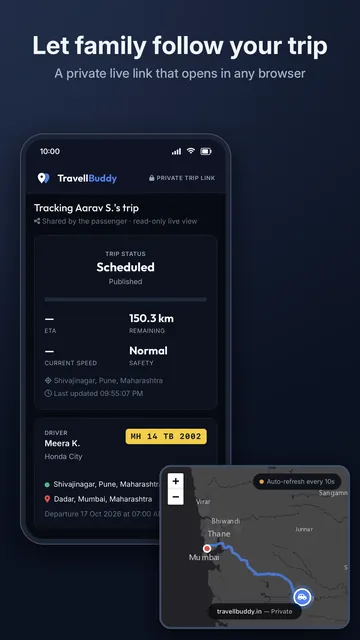
From your booking, tap “Share trip live” and send the link by WhatsApp, SMS or email. Family can follow your journey in any browser, with no app needed. You choose how your name appears, you can turn sharing off at any time, and the link ends when you're dropped off.
Your location
Location is used while the app is open on a trip. TravellBuddy doesn't track you in the background. The Privacy Policy explains what is kept and for how long.